For Class teachers · 3 min
Mark attendance and alert parents
Everyone starts as present. Tap only the children who are absent, on leave or half day, then save.
adimata.com/schoolos/app/attendance
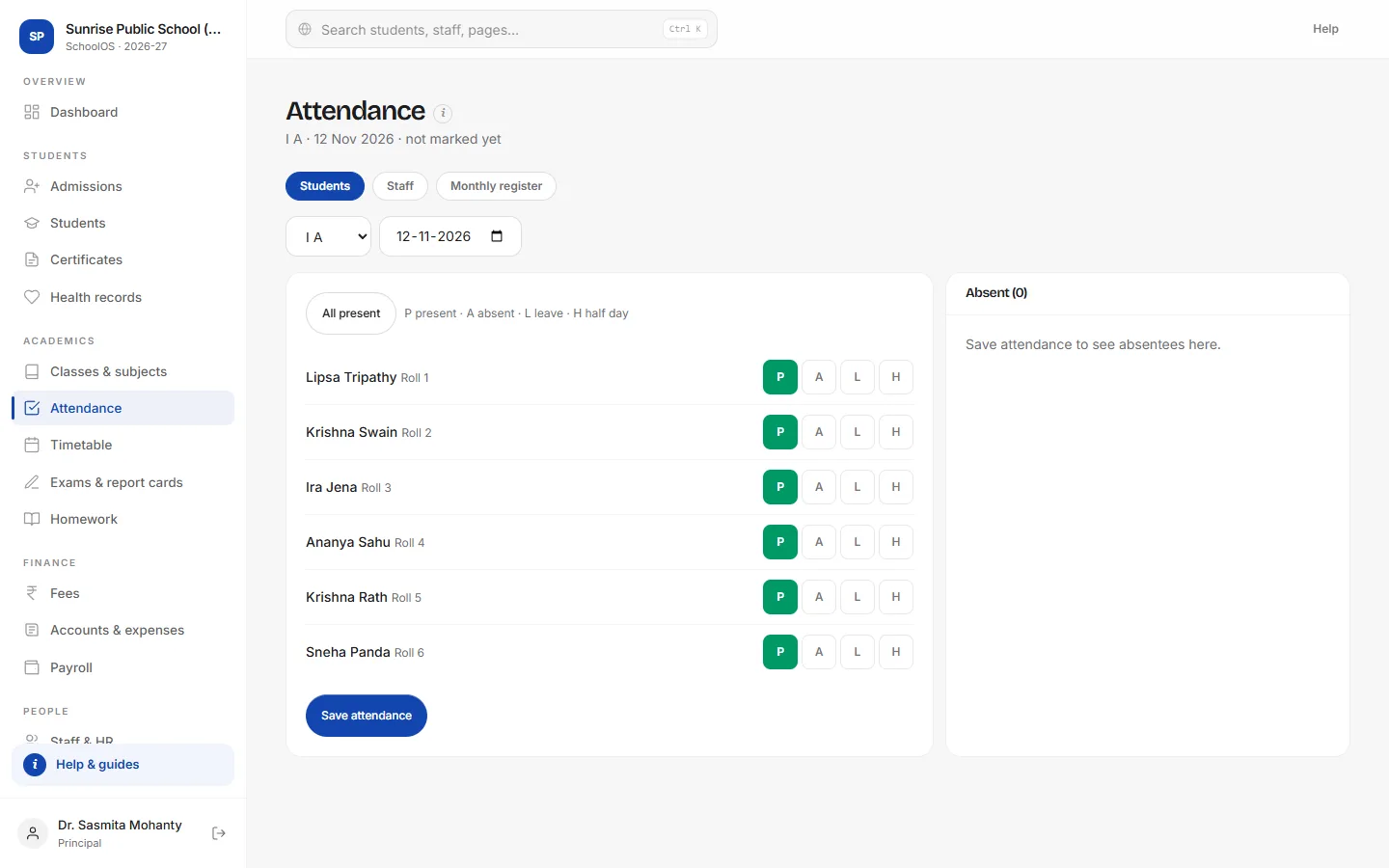
- 1Pick the class and dateToday is selected. Teachers see their own class first from the dashboard's My day.
- 2Tap who is not hereP present, A absent, L leave, H half day. All present resets the whole class to present.
- 3SaveSaving again later only updates the changes.
- 4Alert parents of absenteesEach absent child has an Alert parent link, or send all alerts at once from your linked WhatsApp.
adimata.com/schoolos/app/attendance
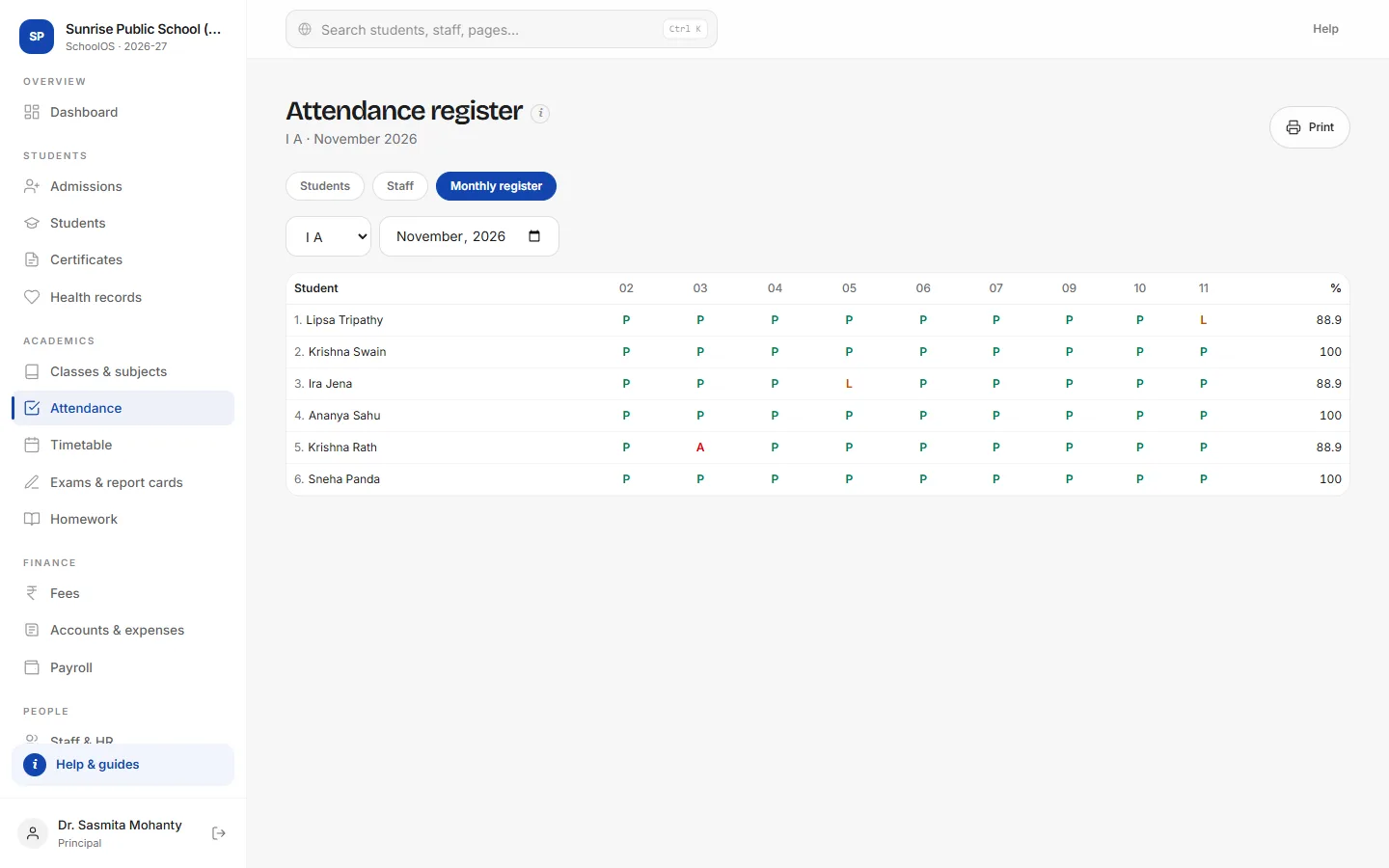
- 5Open the registerA grid of every child and every marked day, with the percentage.
- 6Print itPrint for the class file or an inspection.
Tips
- Approved leave requests mark L automatically.
- Staff attendance is on the Staff tab; it feeds payroll as loss of pay.