For Teachers, exam in-charge · 6 min
Exams, marks and report cards
One exam per class. Teachers enter marks in a grid; SchoolOS calculates grades, totals and ranks.
adimata.com/schoolos/app/exams/…
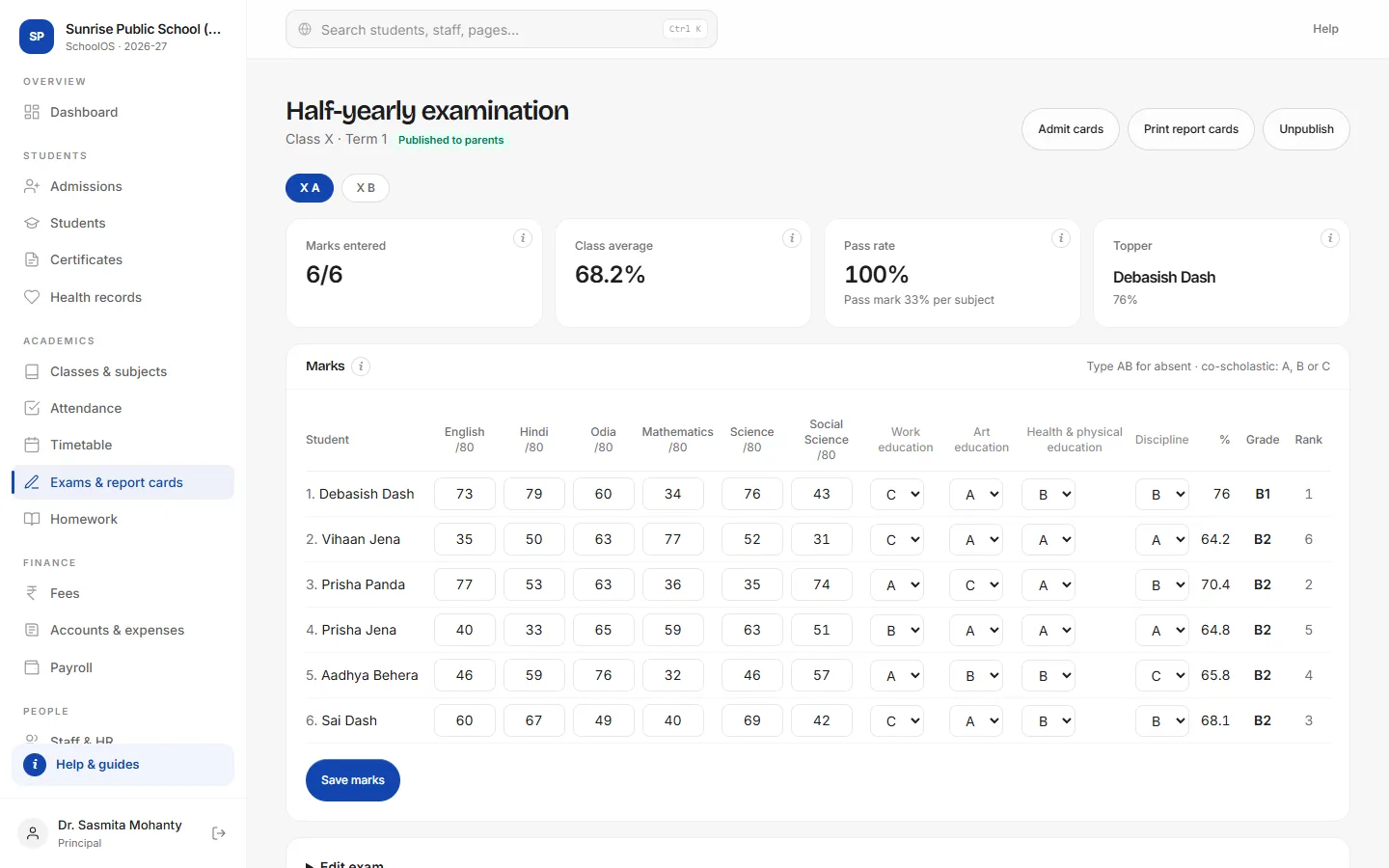
- 1Enter marksType marks per subject (AB for absent). Co-scholastic areas take A, B or C.
- 2SaveGrades, percentages and ranks update as soon as you save.
- 3Publish to parentsResults stay private until you publish them.
- 4Print cardsReport cards and admit cards print for the whole section, one per page.
Tips
- Add exam dates to subjects (Mathematics:80:2026-12-02) to print them on admit cards.
- Change grading and pass marks in School settings.