1 min read
Set homework and show it to parents
Homework is posted per section. Parents see it on their portal home page with the due date and who set it.
- Who can do this
- Teachers
- You need
- Homework module. Posting needs Edit on Homework (the Teacher role has it).
- Not your job? Pick your role →
Homework
adimata.com/schoolos/app/homework
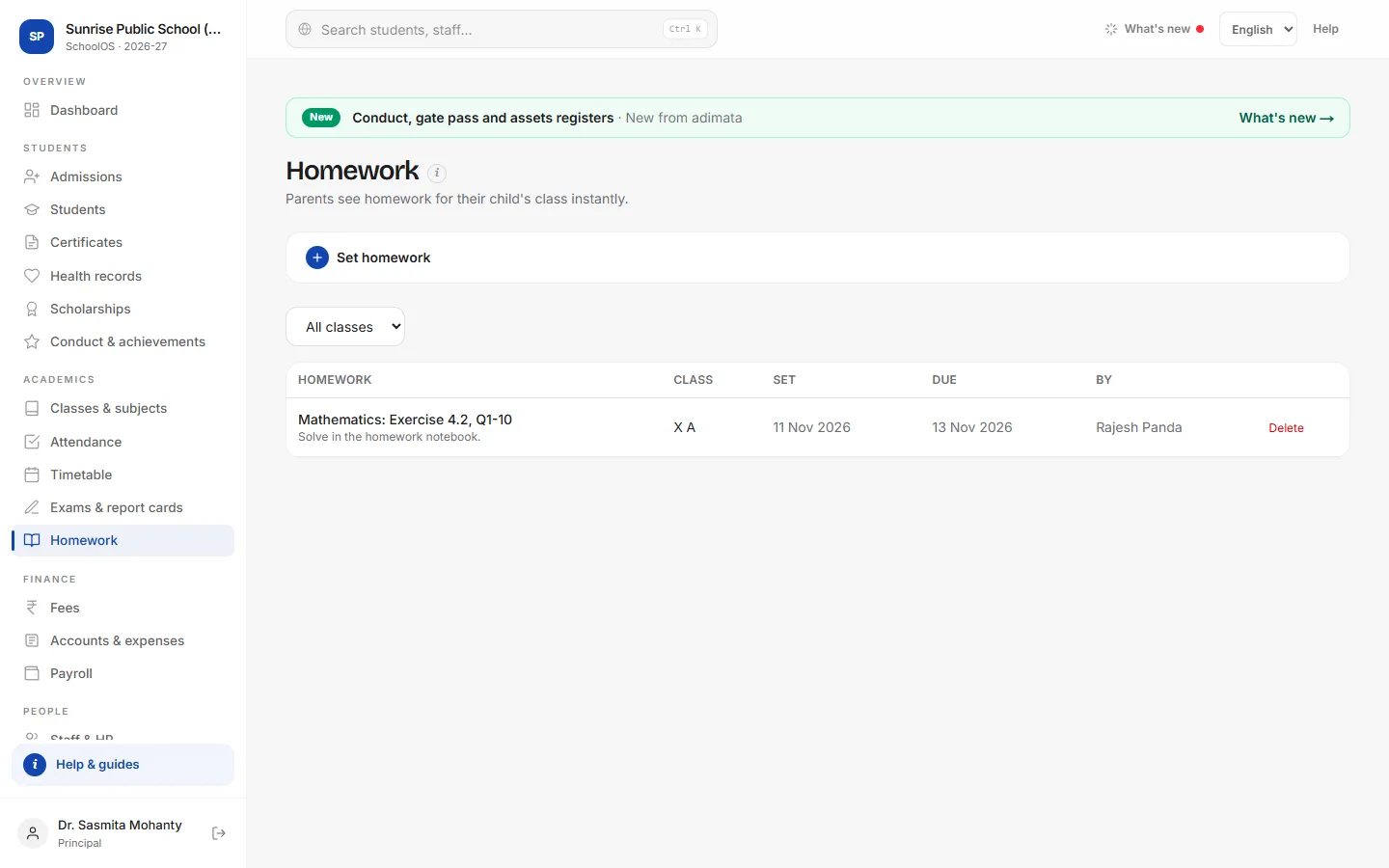
- 1Set homeworkOpen Set homework (or Set homework → under My day on your dashboard).Step by step
- Class: the section, for example VII A.
- Subject & topic: for example Maths: Exercise 4.2, Q1-10.
- Set on (today) and Due on.
- Instructions: pages, what to bring.
- Press Post homework.
- 2See what is postedPick a class at the top to see only its homework. Due dates still to come show in blue.
- 3Correct a mistakeThere is no edit: press Delete on the row and post it again.
Common mistakes
- Posting to the wrong section: its parents see it at once. Delete and post again.
Tips
- Start with the subject (Science: …) so parents can scan the list.
- To send homework on WhatsApp as well, use WhatsApp → Send a message → Parents of the class.
Problems and questions
Parents say they can't see the homework.
It shows only for their child's section. Check the section and that the child is in it.
Can students upload answers?
No. SchoolOS shows homework; work is still done in the notebook.