1 min read
Classes, sections, subjects and the syllabus tracker
Classes & subjects is the school's structure: attendance, fee plans, exams and the timetable all use it. The Syllabus tracker button sits at the top of the same page.
- Who can do this
- Principal, vice principal, office admin
- You need
- Classes & subjects module. Editing needs Edit; teachers can view, so give a teacher Edit if they should update the syllabus tracker.
- Not your job? Pick your role →
Classes & subjects
adimata.com/schoolos/app/academics
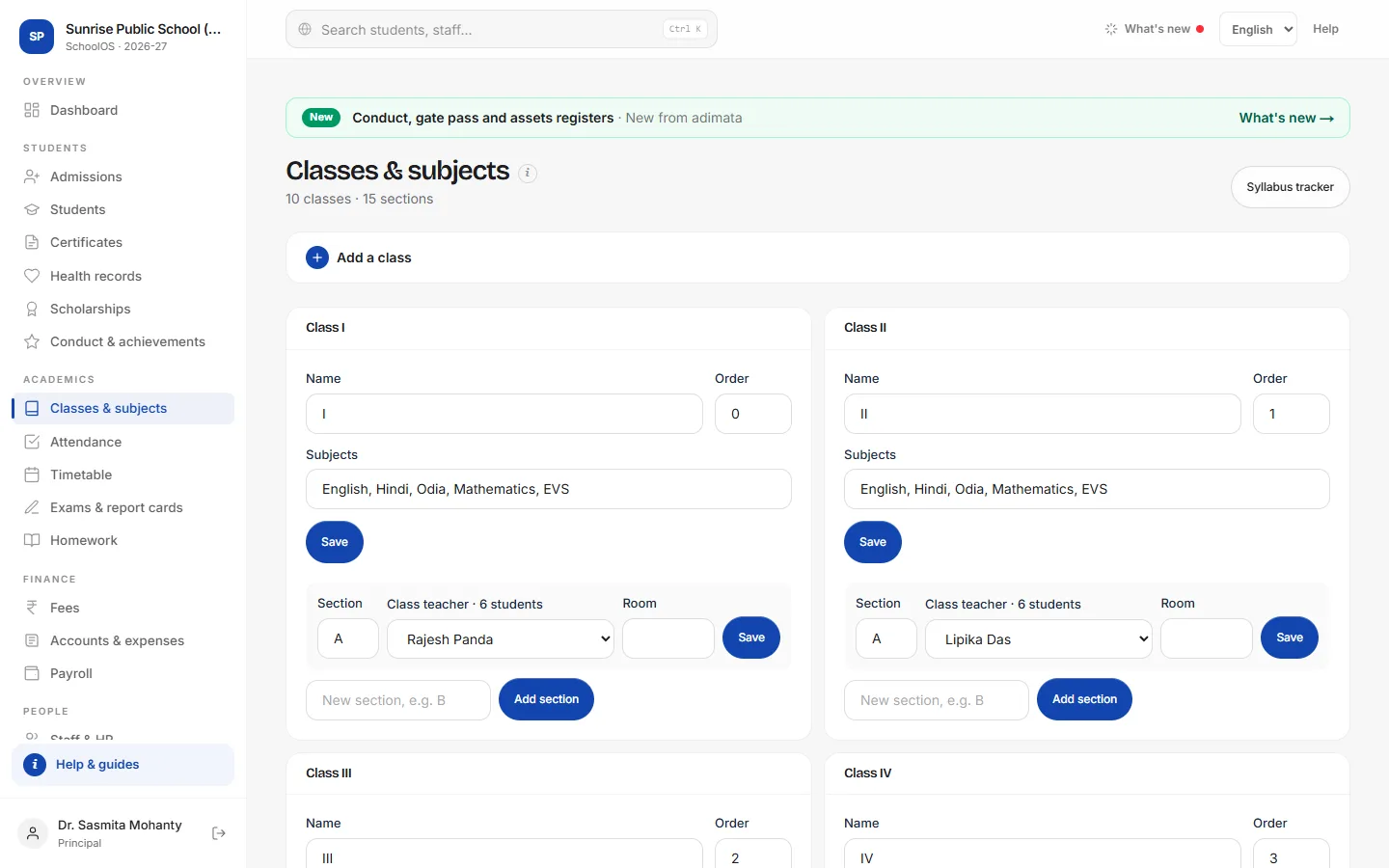
- 1Create classesA new school: Create Nursery to XII. Otherwise Add a class: Class name (VII), Order and Subjects (comma separated), then Add class.
- 2Sections, class teacher, roomUnder a class, type the new section (B) and press Add section. For each section pick the Class teacher and Room and press Save; the class teacher's dashboard then opens on that class.
- 3Track the syllabusSyllabus tracker → Add: Lesson: Class, Subject, Chapter / topic, Teacher and Planned by. When finished, fill Completed on. Past-due chapters show Behind plan; tick Needs attention to list them.
Common mistakes
- Deleting a section with students: move or promote them first.
Tips
- Use the same class names everywhere: VII here and VII in your import sheet.
Problems and questions
The Delete button is missing on a class.
A class with students can't be deleted.
Create Nursery to XII is missing.
It appears only when the school has no classes yet.