2 min read
Admission enquiries and the online admission form
Every enquiry, whether a walk-in, a call or the online form, sits in one register with its stage and next follow-up date. When a family joins, Admit as student creates the student record.
- Who can do this
- Receptionist, office admin, principal
- You need
- Admissions module, Edit on Admissions (Receptionist and Office admin have it). Admit as student also needs Edit on Students.
- Not your job? Pick your role →
Before you start
- Classes created, so the online form can list them.
- School settings → Academic → Accept online admission applications ticked.
Admission enquiries
adimata.com/schoolos/app/r/admissions
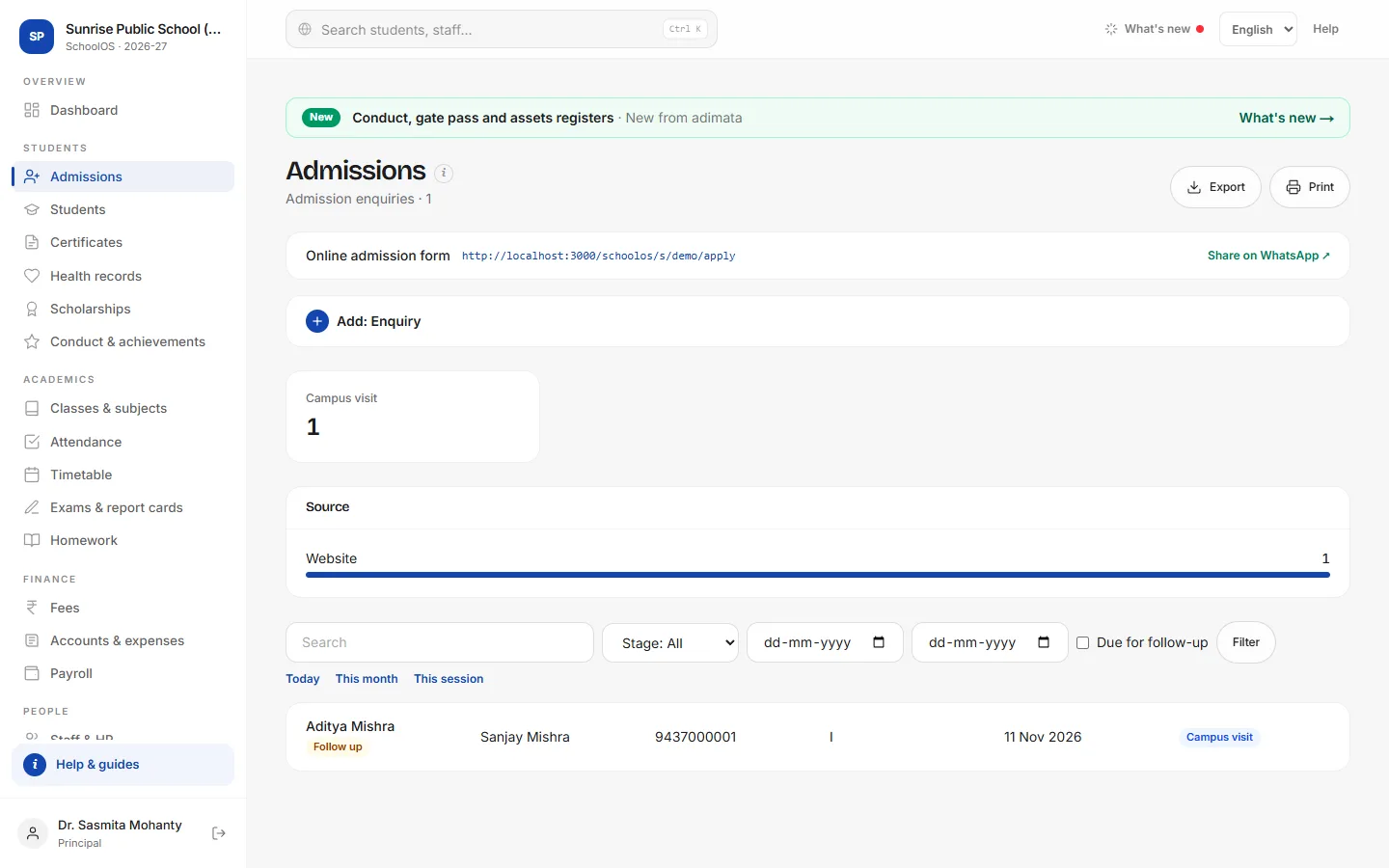
- 1Share the online formThe box at the top shows your school's form link. Share on WhatsApp ↗ sends it to a parent or a group. Applications arrive here with Stage New and Source Website.
- 2Log a walk-in or callChild's name and Mobile are required.Step by step
- Press Add: Enquiry.
- Class sought and Source (Walk-in, Phone, Referral…).
- Next follow-up: the day you will call back.
- Press Add: Enquiry.
- 3Follow up and move the stageTick Due for follow-up to see enquiries whose date has come. Open one, use the Stage buttons (Contacted, Campus visit, Entrance test, Lost) and set the next date.
- 4Admit as studentWhen the family joins, open the enquiry and press Admit as student. The student record gets the next admission number, name, parent, mobile, email and date of birth; the stage becomes Admitted.You should see: The new student's record opens. Pick the Class and press Save changes.
The online admission form
adimata.com/schoolos/s/demo/apply
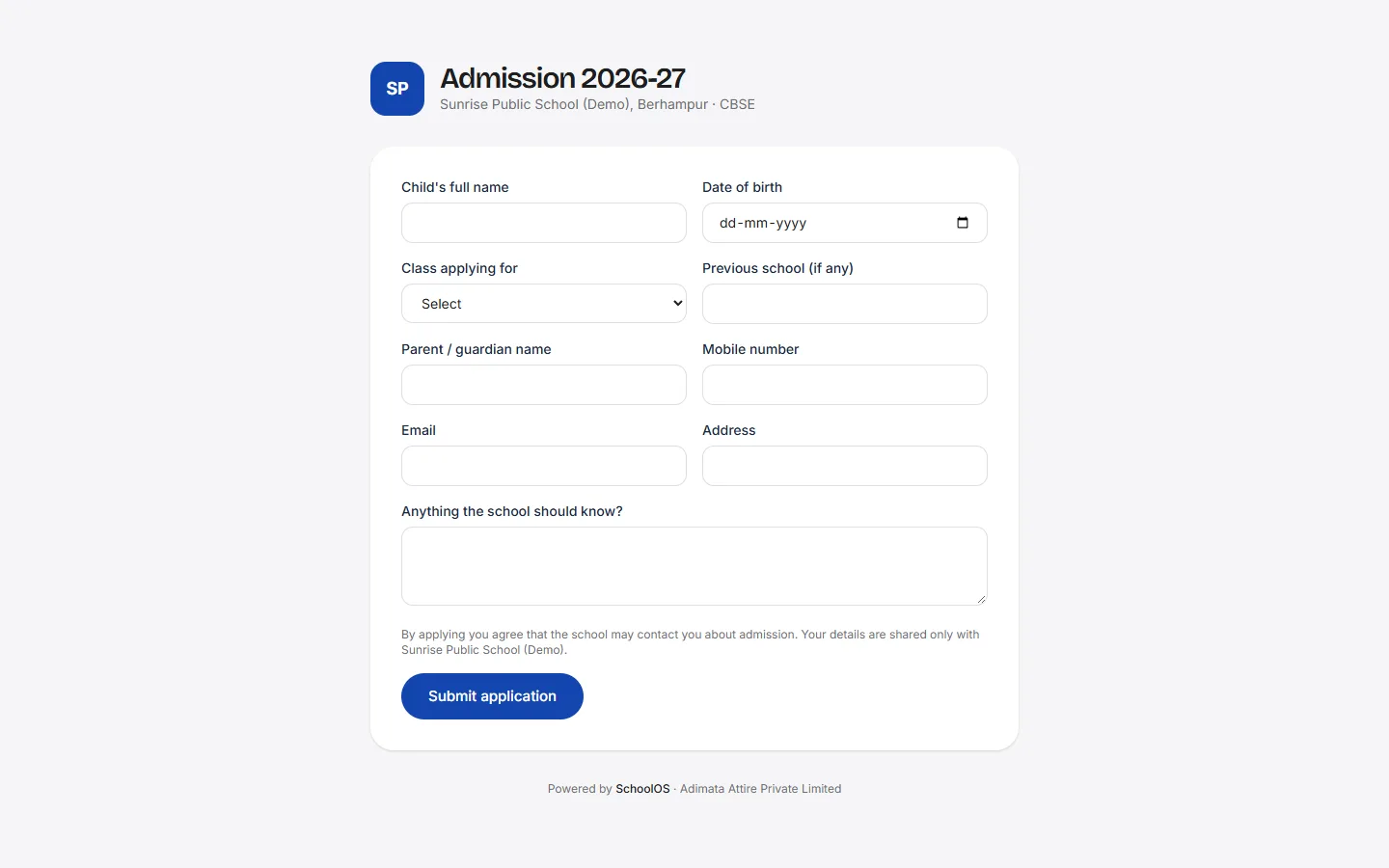
- 5What parents fillChild's full name, date of birth, class applying for, previous school, parent name, mobile, email and address, then Submit application.You should see: “Application received”.
Common mistakes
- Adding the child in Students as well as pressing Admit as student: you get two records.
Tips
- Call every Website enquiry within a day.
- Use Lost with a note (fees, distance) to learn why families don't join.
- Print the form link on your banner or pamphlet.
Problems and questions
Parents see “Online admissions are closed for this school”.
Tick Accept online admission applications in School settings and save.
Admit as student is missing.
It shows only when the stage is not Admitted and your role can edit Students.