1 min read
Front office: dispatch, phone calls, appointments, lost & found
Front office replaces four paper registers. Each has a Needs attention filter: letters needing action, calls to return, appointments to update and unclaimed items.
- Who can do this
- Receptionist, office
- You need
- Front office module. Existing schools have it switched off until adimata ticks it on in Manage. The Receptionist can edit it by default; give other roles access in Users & roles → Roles & permissions.
- Not your job? Pick your role →
Before you start
- Front office in your menu. If not, ask adimata to switch it on, then grant roles in Roles & permissions.
Diary & dispatch
adimata.com/schoolos/app/r/dispatch
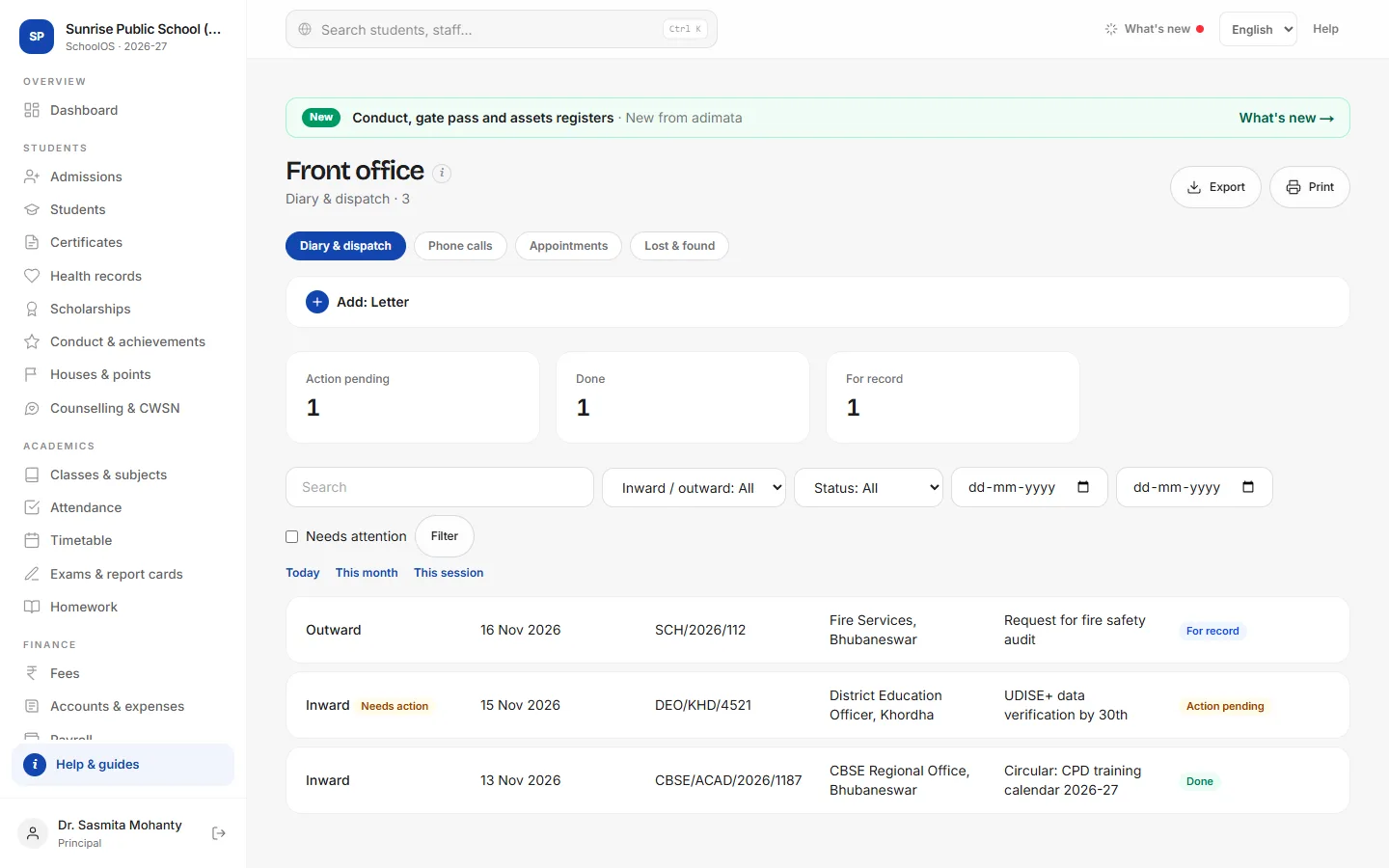
- 1Letters in and outDiary & dispatch → Add: Letter: Inward / outward, Date, Letter / ref no., From / to, Subject, Mode, Tracking / docket no., File no., Marked to and Status (Action pending, Done, For record).
- 2Phone callsPhone calls → Add: Call: Date, Time, Caller, Mobile, About, For (staff) and Message. Status Call back shows until it is Message passed or Closed.
- 3AppointmentsAppointments → Add: Appointment: Date, Time, Visitor, To meet and Purpose. Today's show Today; after the visit press Met, Rescheduled or Cancelled.
- 4Lost & foundLost & found → Add: Found item: Item, Category, Found on, Found at and Kept at. When collected, press Returned and fill Returned to (name, class).
Tips
- Copy as new for the same caller or a weekly courier.
- Print the dispatch register for the month for the file.
Problems and questions
Where is Front office?
Under Campus in the menu, once adimata has switched it on and your role has access.