1 min read
Board registration and LOC register
This is the school's own register for board work. You still submit on the board's portal; SchoolOS tracks who is pending, submitted, confirmed and has an admit card.
- Who can do this
- Exam in-charge, office admin
Before you start
- Names, dates of birth, parents' names and APAAR IDs checked on student records: boards match them exactly.
Board registration
adimata.com/schoolos/app/r/boardreg
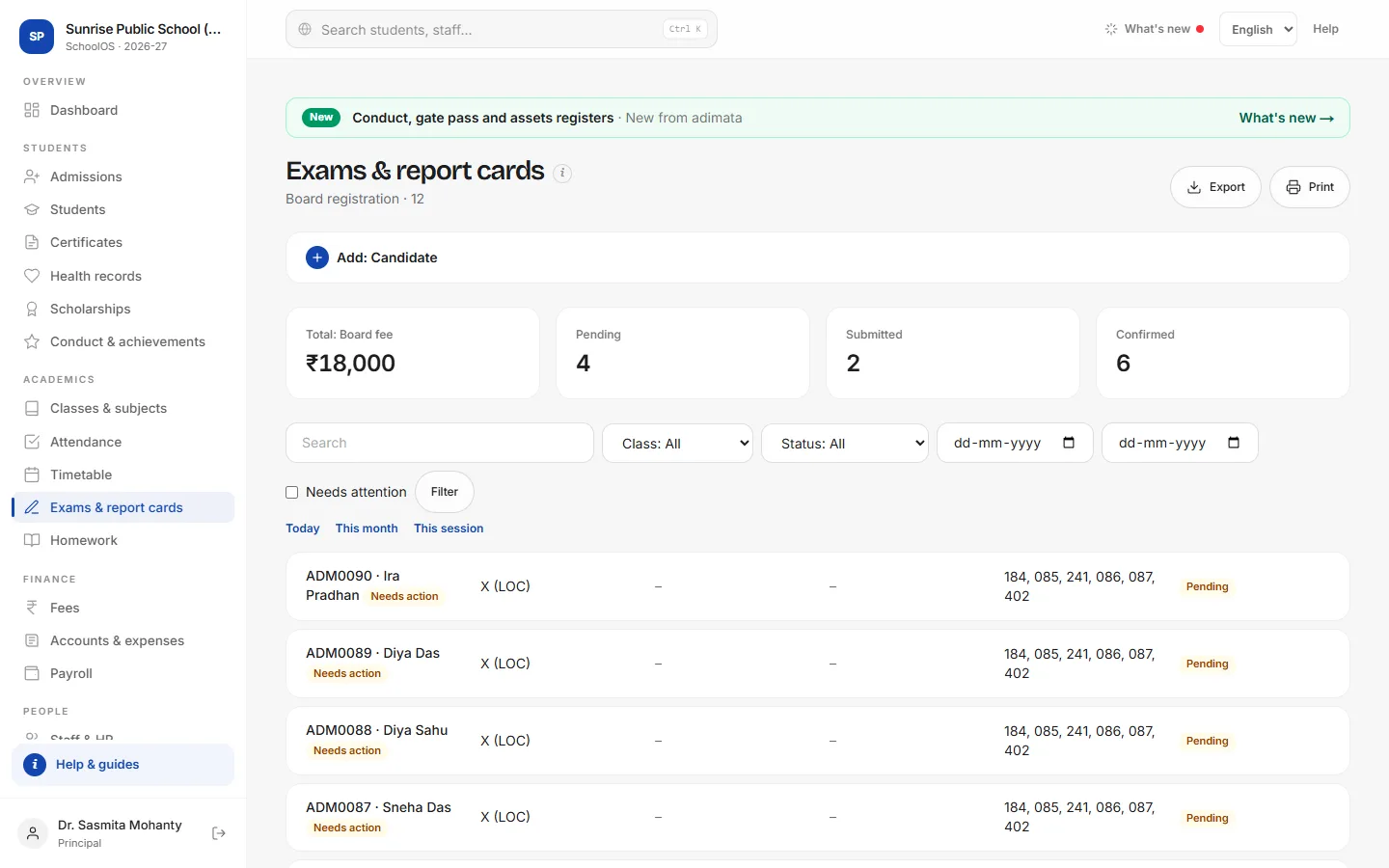
- 1Add a candidateAdd: Candidate: Student, Class (IX registration, X LOC, XI registration, XII LOC), Subject codes, Board fee, Status Pending.
- 2Update as you goSubmitted when sent on the portal; Confirmed with the Board registration no.; Admit card issued with the Board roll no.
- 3Check the listTick Needs attention for pending ones; Export to check against the portal.
Tips
- Check the 75% eligibility list before submitting the LOC.
- Collect the board fee as a one-off charge on Fees → Collect.
Problems and questions
Does SchoolOS upload the LOC?
No. Submit on the board's portal.