1 min read
Print student and staff ID cards
Cards are made from the records: name, class and roll, admission number, date of birth, blood group and parent's mobile for students; designation, employee code and mobile for staff.
- Who can do this
- Office admin
- You need
- Student cards need Students access; staff cards need Staff & HR access. Parents open only their own child's card from the portal.
- Not your job? Pick your role →
Before you start
- Photos uploaded on student and staff records.
- Logo link, city and phone in School settings: they print in the card's header.
ID cards
adimata.com/schoolos/app/idcards
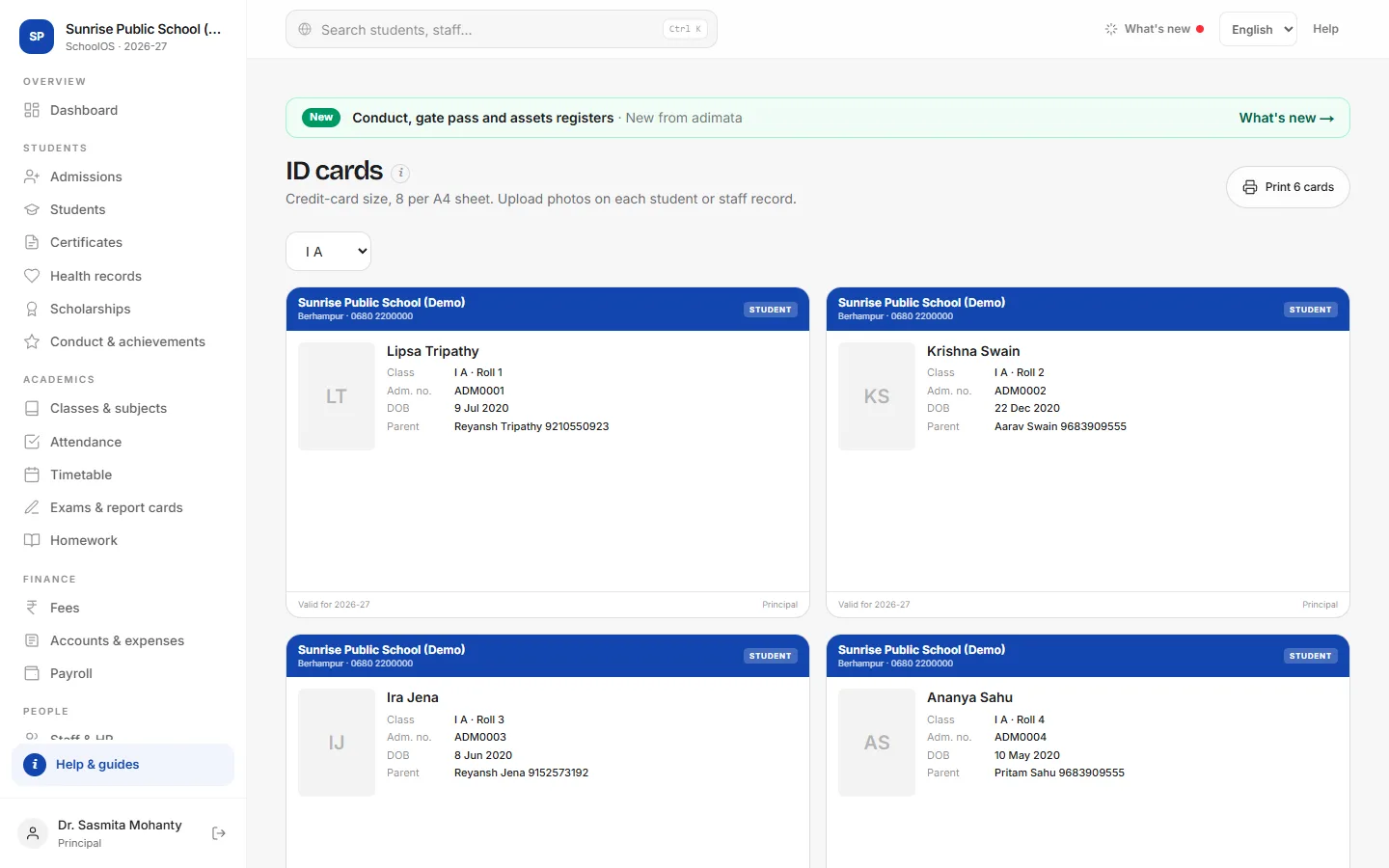
- 1Pick the classStudents → ID cards, then choose a section; the cards change at once. Staff & HR → Staff ID cards prints all active staff.
- 2PrintPress Print N cards. Choose A4 and default margins; print on card, cut and laminate.
- 3One card againID card on a student's record opens just that card.
Tips
- Passport-style photos with a plain background print best.
- The card says Valid for the academic year in School settings.
Problems and questions
A student's card is missing.
Only Active students of that section print.