1 min read
Track scholarships from application to DBT credit
SchoolOS does not apply on the NSP or state portal for you. It keeps your own register so you know who applied, who still needs school verification and whose money has arrived.
- Who can do this
- Accountant, scholarship in-charge
- You need
- Scholarships module, Edit on Scholarships (Accountant and Office admin have it).
- Not your job? Pick your role →
Scholarships
adimata.com/schoolos/app/r/scholarships
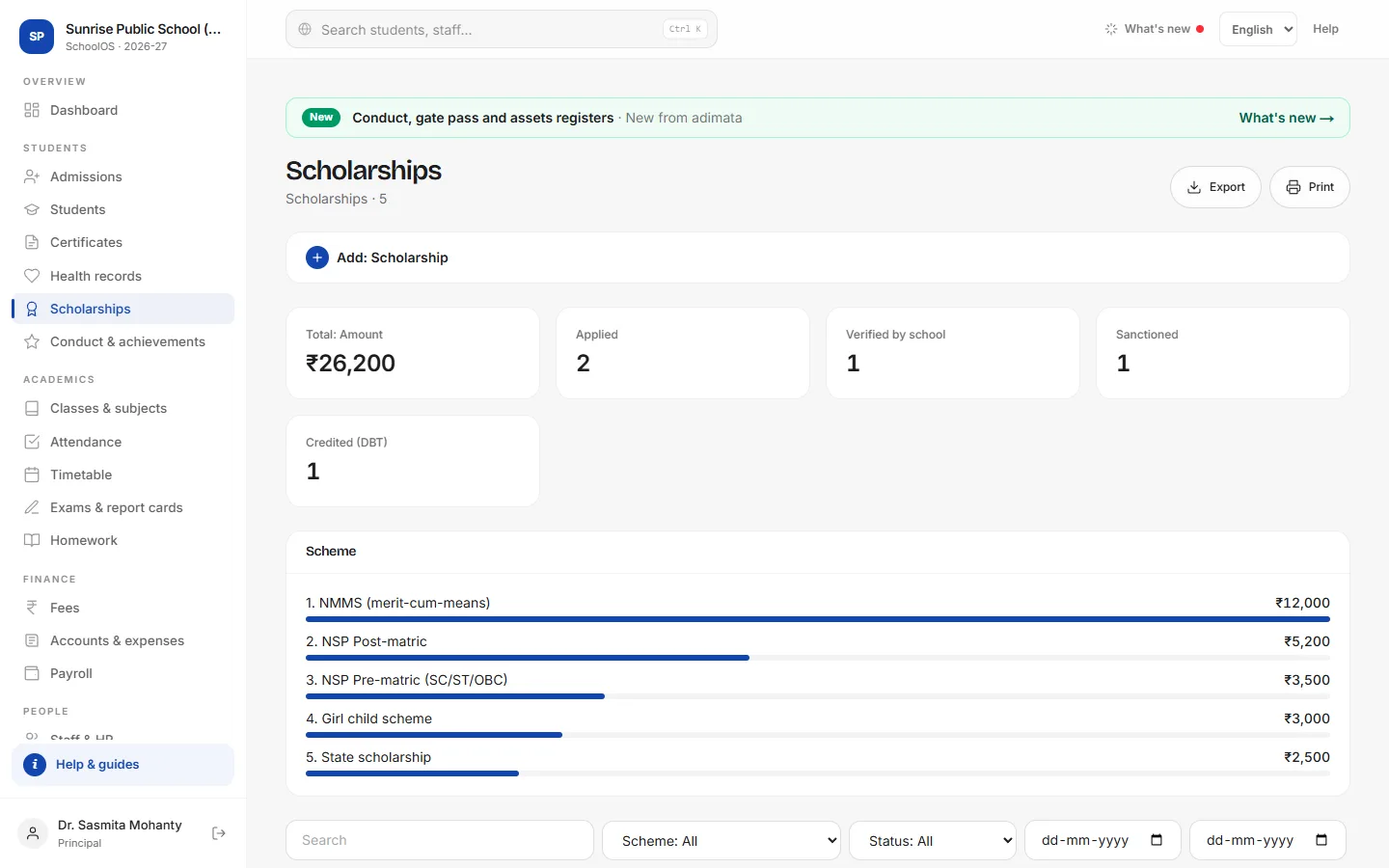
- 1Add an applicationAdd: Scholarship: Student, Scheme (NSP Pre-matric, NSP Post-matric, NSP Minority, NMMS, State, Girl child, School merit…), Application / NSP ID, Academic year, Amount, Status Applied.
- 2Move the statusUse the status buttons as it moves: Verified by school, Sanctioned, Credited (DBT) or Rejected. When credited, fill Credited on and Bank account (last 4) / DBT ref.
- 3What needs actionTick Needs attention: entries still Applied or Verified. The dashboard shows them as scholarships in process.
Common mistakes
- Typing the full bank account number: store only the last 4 digits.
Tips
- Verify on the portal before the institute deadline, then set Verified by school here.
- A school concession (sibling, staff ward) also goes on the fee bill as Concession ₹.
Problems and questions
Does a scholarship reduce the fee bill?
No. Give a concession on the bill if the school waives fees.