1 min read
Parent helpdesk: answer concerns from the portal
Concerns arrive with the child, what it is about (Academics, Fees, Transport, Discipline, Health, Facilities, Other), a subject and details. Your reply in School's response shows to the parent under Your requests.
- Who can do this
- Office admin, principal
- You need
- Parent helpdesk module, Edit to reply. Teachers don't see it by default.
- Not your job? Pick your role →
Concerns
adimata.com/schoolos/app/r/concerns
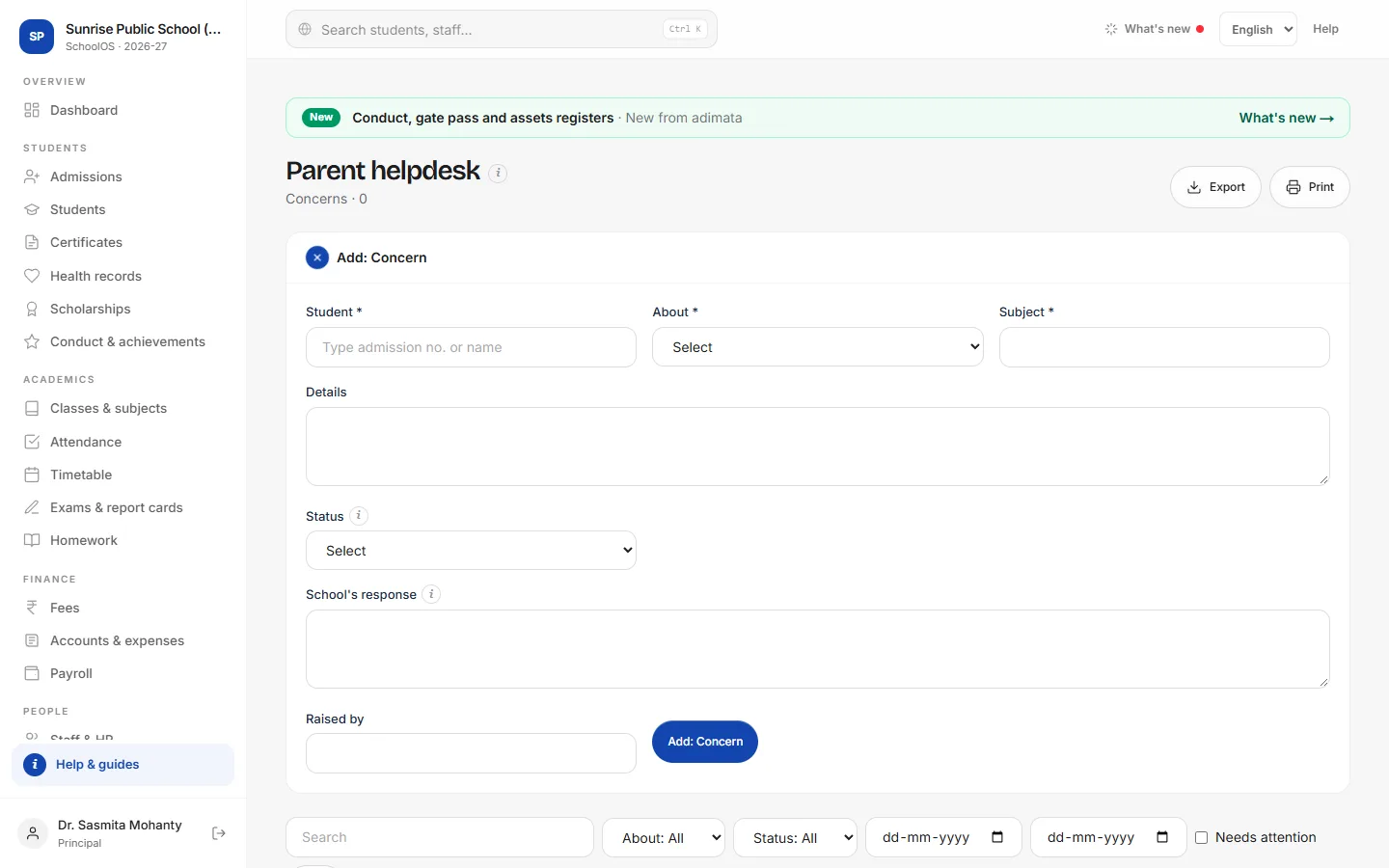
- 1See open concernsTick Needs attention: everything not Resolved. The dashboard shows parent concerns open.
- 2ReplyOpen the concern, write School's response and Save, then press In progress or Resolved.You should see: The parent sees the status and “School: your reply” in the portal.
- 3Log a phone callFor a concern raised by phone, Add: Concern so it is tracked too.
Common mistakes
- Writing internal notes in School's response: the parent reads it.
Tips
- Reply the same day, even if only “We are checking”, and set In progress.
Problems and questions
Can a parent reply on the same concern?
No. They raise a new one.