1 min read
PTM register: record parent-teacher meetings
One entry per child per meeting. Open entries whose follow-up date has come show Follow up in the list and on the dashboard.
- Who can do this
- Class teachers, principal
- You need
- Parent-teacher meetings module. Teachers can add and edit by default.
- Not your job? Pick your role →
PTM register
adimata.com/schoolos/app/r/ptm
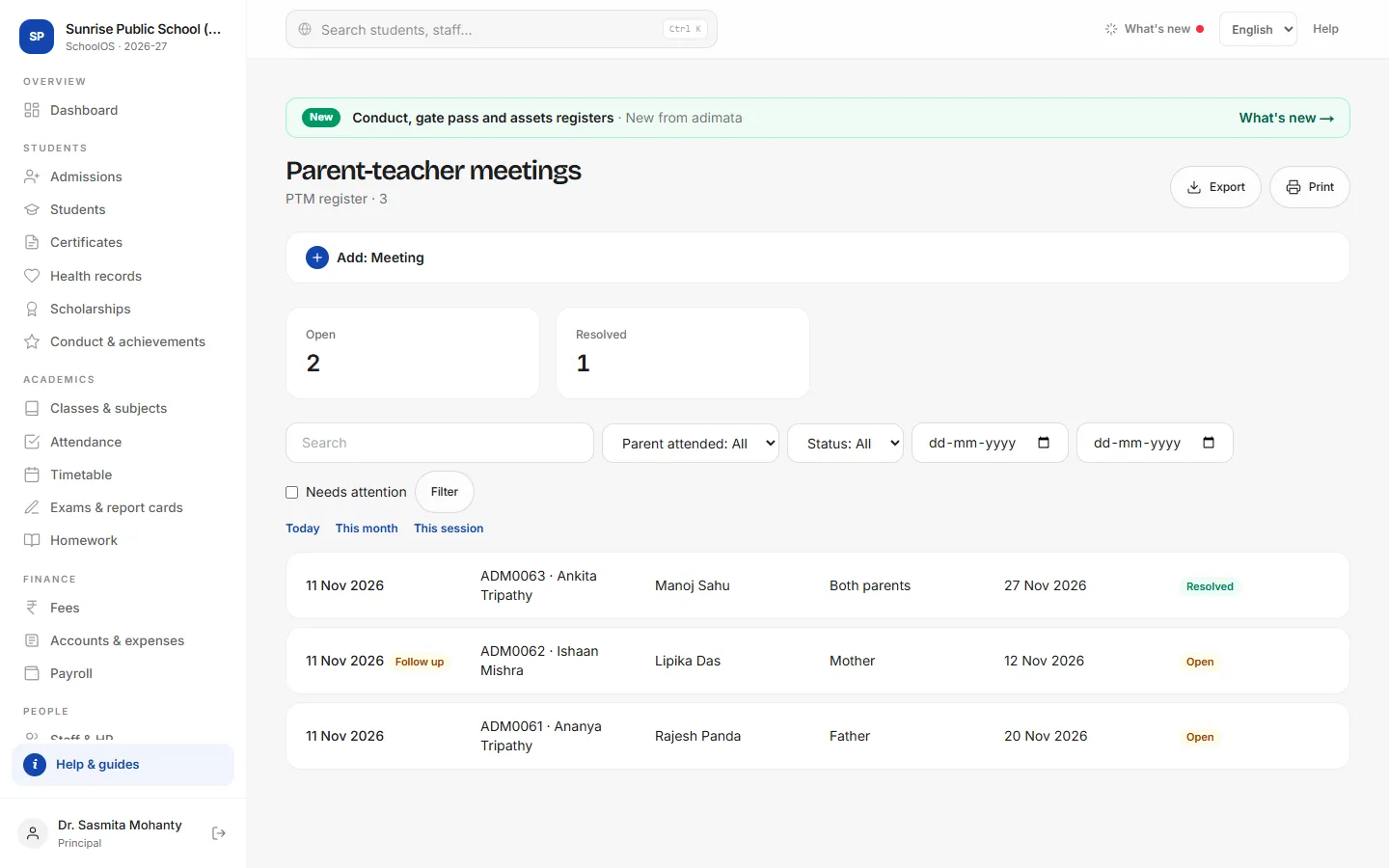
- 1Add a meetingAdd: Meeting: Date, Student, Teacher, Parent attended (or Did not come), Discussed, Agreed action / follow-up and Follow up on.
- 2Follow upTick Needs attention for meetings whose follow-up date has come.
- 3Close itAfter the follow-up, add what happened and press Resolved.
Tips
- Copy as new speeds up a PTM day: same date and teacher, next student.
- Check Students at risk before a PTM to know whom to meet first.
Problems and questions
Do parents see PTM notes?
No. The register is for staff.