1 min read
Visitor log and gate pass
Two registers for the gate. Visitors logs adults coming in; Gate pass records a student leaving early with the person who collected them.
- Who can do this
- Receptionist, security, office
- You need
- Visitors and Gate pass modules. The Receptionist can add both by default.
- Not your job? Pick your role →
Visitor log
adimata.com/schoolos/app/r/visitors
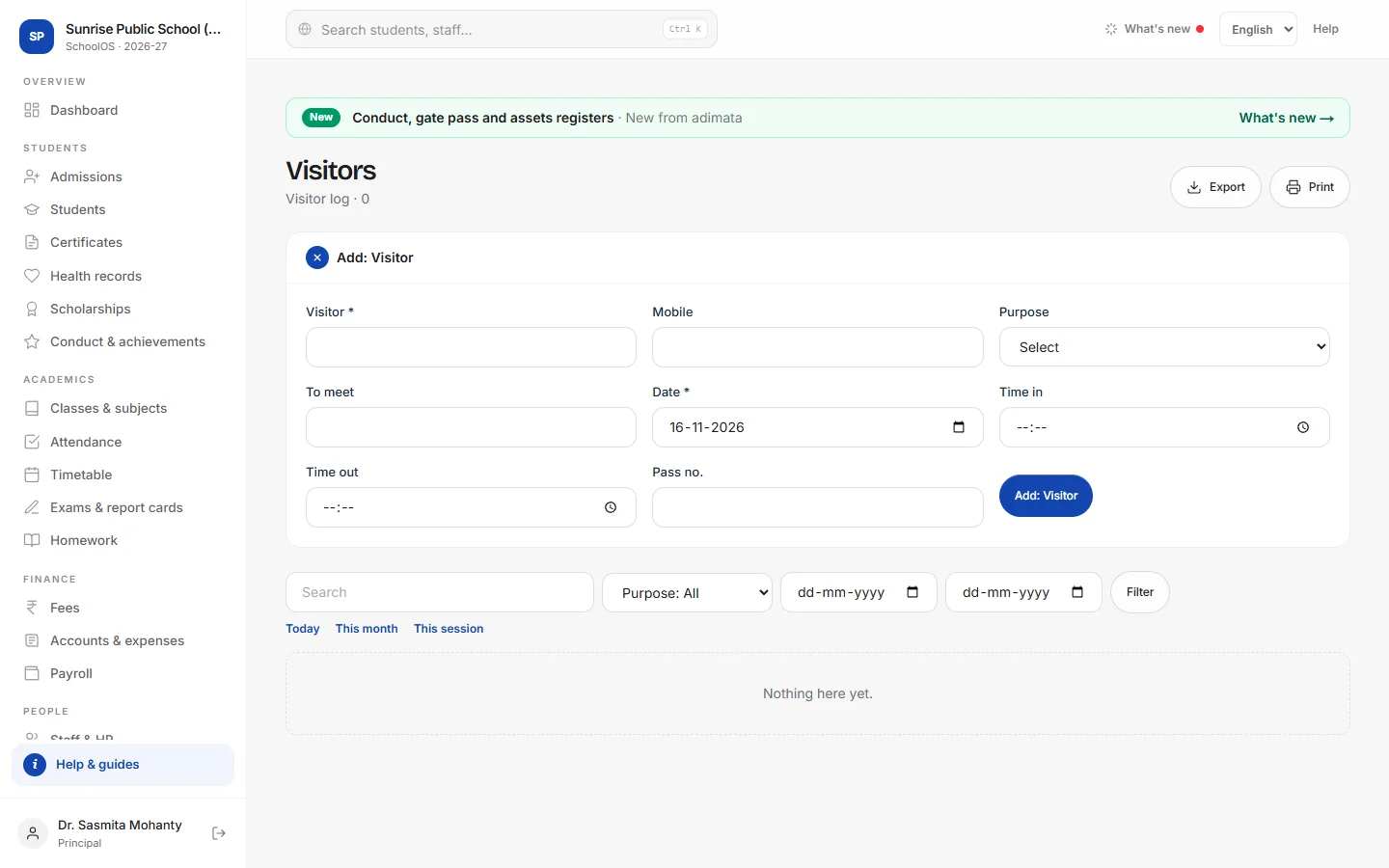
- 1Log a visitorAdd: Visitor: Visitor and Date are required; Mobile, Purpose, To meet, Time in and Pass no. When they leave, open the entry and fill Time out.
Gate pass
adimata.com/schoolos/app/r/gatepass
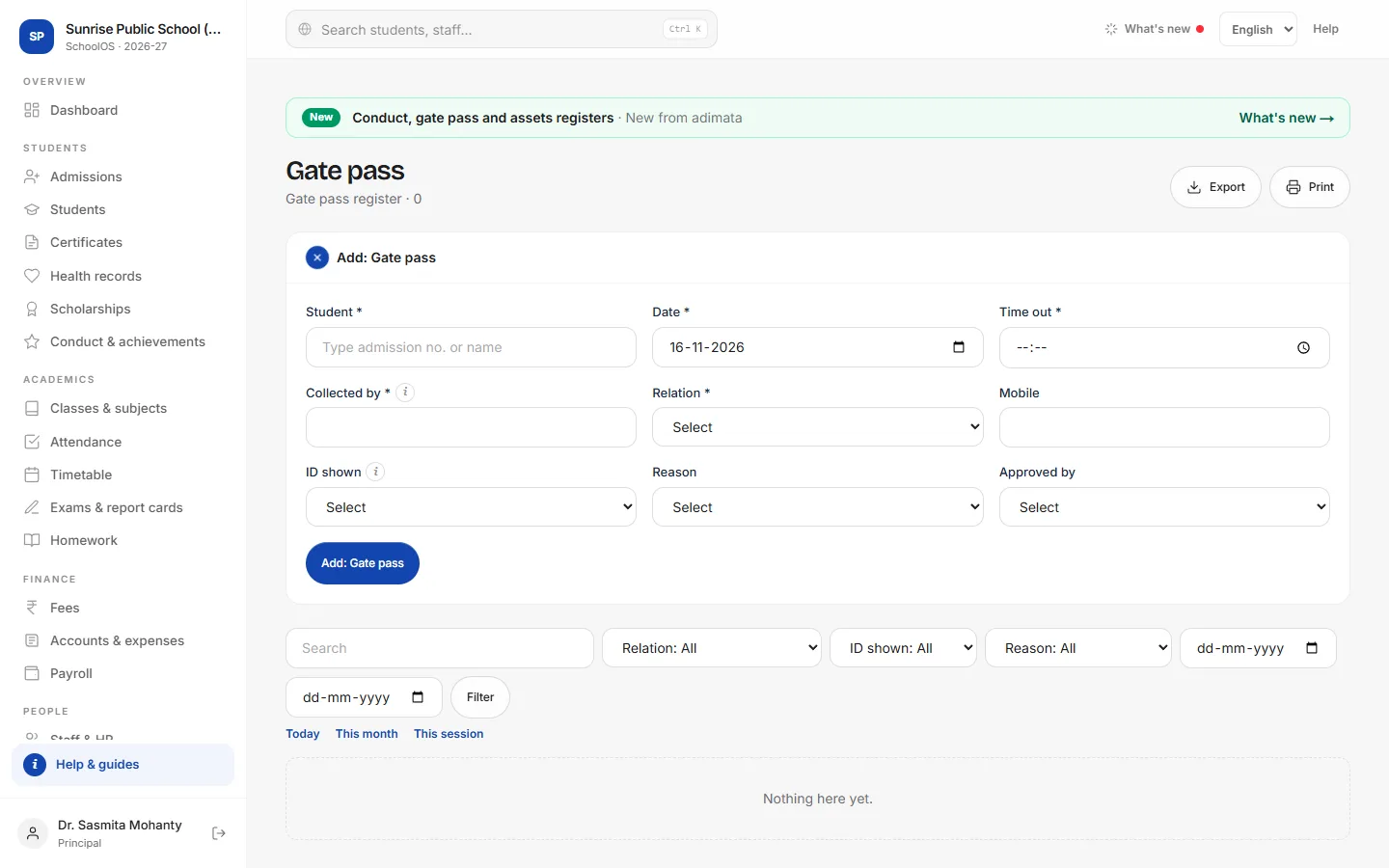
- 2Issue a gate passBefore a child leaves early.Step by step
- Press Add: Gate pass and pick the student.
- Time out, Collected by and Relation.
- Mobile and the ID shown.
- Reason and Approved by, then Add: Gate pass.
- 3Look it up laterThe pass shows on the child's record. Search by name to answer a parent's question.
Tips
- Check the ID of anyone collecting a child.
- Export the visitor log monthly for the file.
Problems and questions
Does the parent get a message when the child leaves?
Not automatically. Use WhatsApp parent on the student's record.