1 min read
Mid-day meal (PM POSHAN) daily register
One entry per class per day, or one for the whole school. The register replaces the paper MDM register and gives you a CSV for the monthly return.
- Who can do this
- MDM in-charge teacher, headmaster
- You need
- Mid-day meal module (ask adimata to switch it on). Teachers can add entries by default.
- Not your job? Pick your role →
Daily meal register
adimata.com/schoolos/app/r/meals
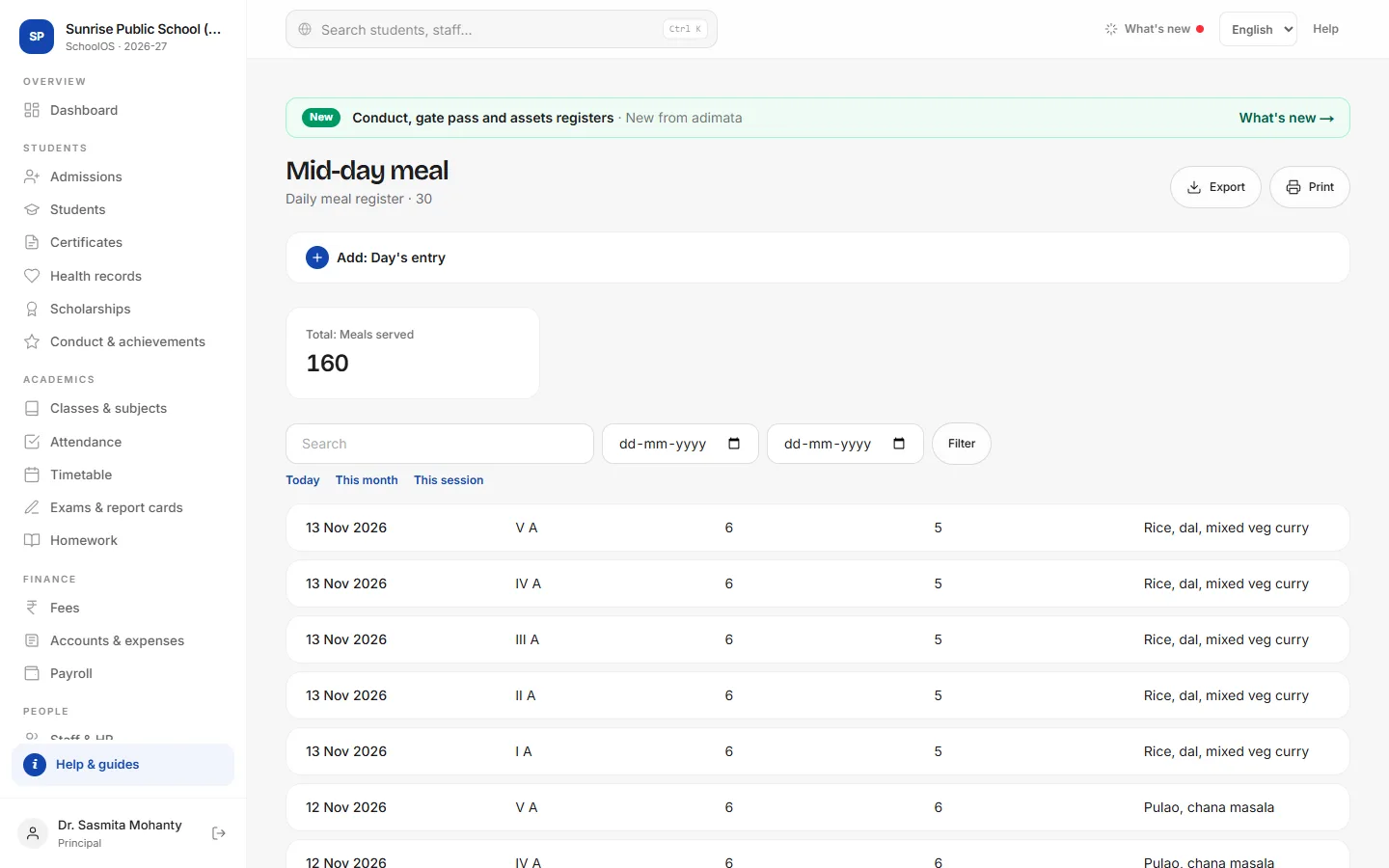
- 1Add the day's entryAdd: Day's entry: Date, Class (empty for the whole school), Enrolled, Meals served, Menu, Rice / wheat used (kg), Tasted by (teacher), Remarks / inspection.
- 2Month's figuresSet From and To (or This month), Filter, then Export and total the meals and grain in Excel. Print gives a clean register page.
Tips
- Enter after lunch every day.
- Note inspection visits with the officer's name in Remarks / inspection.
Problems and questions
Does SchoolOS make the MDM return?
No. Export the register and fill the return from it.