2 min read
Run monthly payroll and print payslips
Payroll uses each person's Basic pay and Allowances from Staff & HR and their absences from staff attendance. A day marked A is loss of pay, H is half a day, and L (leave) is paid.
- Who can do this
- Accountant, principal
- You need
- Payroll module, Edit on Payroll (the Accountant has it; the Office admin does not).
- Not your job? Pick your role →
Before you start
- Basic pay ₹/month and Allowances ₹/month on every staff record; staff without basic pay are skipped.
- PF applicable and ESI applicable ticked correctly on each staff record.
- The month's staff attendance marked and checked; Professional tax ₹/month set in School settings.
Payroll for a month
adimata.com/schoolos/app/payroll
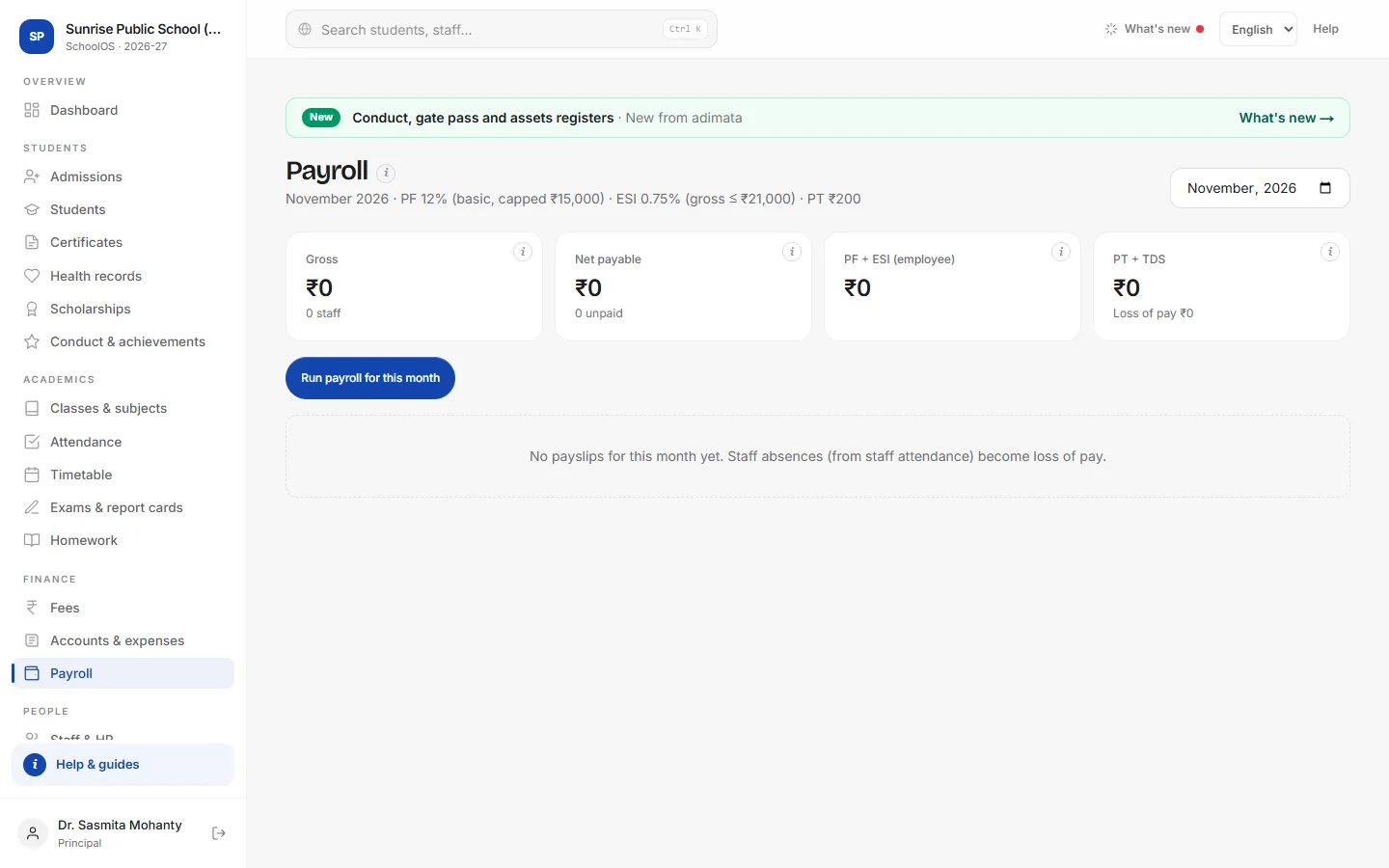
- 1Run payrollPick the month at the top and press Run payroll for this month. If slips exist, the button reads Recalculate unpaid slips: use it after correcting attendance or pay.You should see: “N payslips calculated” and a row per person: Gross, LOP, PF, ESI, PT, TDS and Net.
- 2Check the rulesThe line under the heading shows the rules: PF 12% of basic (capped at ₹15,000), ESI 0.75% when gross is ₹21,000 or less, and your professional tax. The cards total Gross, Net payable, PF + ESI and PT + TDS.
- 3Add TDSType the month's TDS for a person in the TDS box and press ✓. Net pay updates.
- 4Print payslipsSlip on a row opens a printable payslip with earnings, deductions and net pay in words.
- 5Mark all paidAfter paying salaries, press Mark all paid. Paid slips are locked: recalculating and TDS no longer change them. Then add one expense with Head Salaries in Accounts.
Common mistakes
- Marking all paid before adding TDS: paid slips can't be changed.
- Approving a “Loss of pay” leave and expecting a cut: approved leave is marked L, which is paid.
Tips
- A leave that should be unpaid: mark those days A on the staff attendance tab before running payroll.
- Run payroll after the month's last working day, check, then Mark all paid.
Problems and questions
A staff member has no payslip.
Their record has no Basic pay ₹/month, or they are not Active.
Loss of pay looks wrong.
LOP = gross × (absent days + half days ÷ 2) ÷ days in the month. Correct staff attendance and press Recalculate unpaid slips.
Can I mark one person as paid?
No. Mark all paid marks every unpaid slip of that month.