1 min read
Staff training (CPD) and the 50 hours
CBSE expects every teacher to complete 50 hours of continuous professional development (CPD) a year. The Training log adds each teacher's hours and shows them against 50.
- Who can do this
- Principal, academic coordinator
- You need
- Staff training (CPD) module. Existing schools have it off until adimata switches it on in Manage. Teachers can view it by default; give the coordinator Edit in Roles & permissions.
- Not your job? Pick your role →
Before you start
- Staff training (CPD) in your menu, and staff records added.
Training log
adimata.com/schoolos/app/r/training
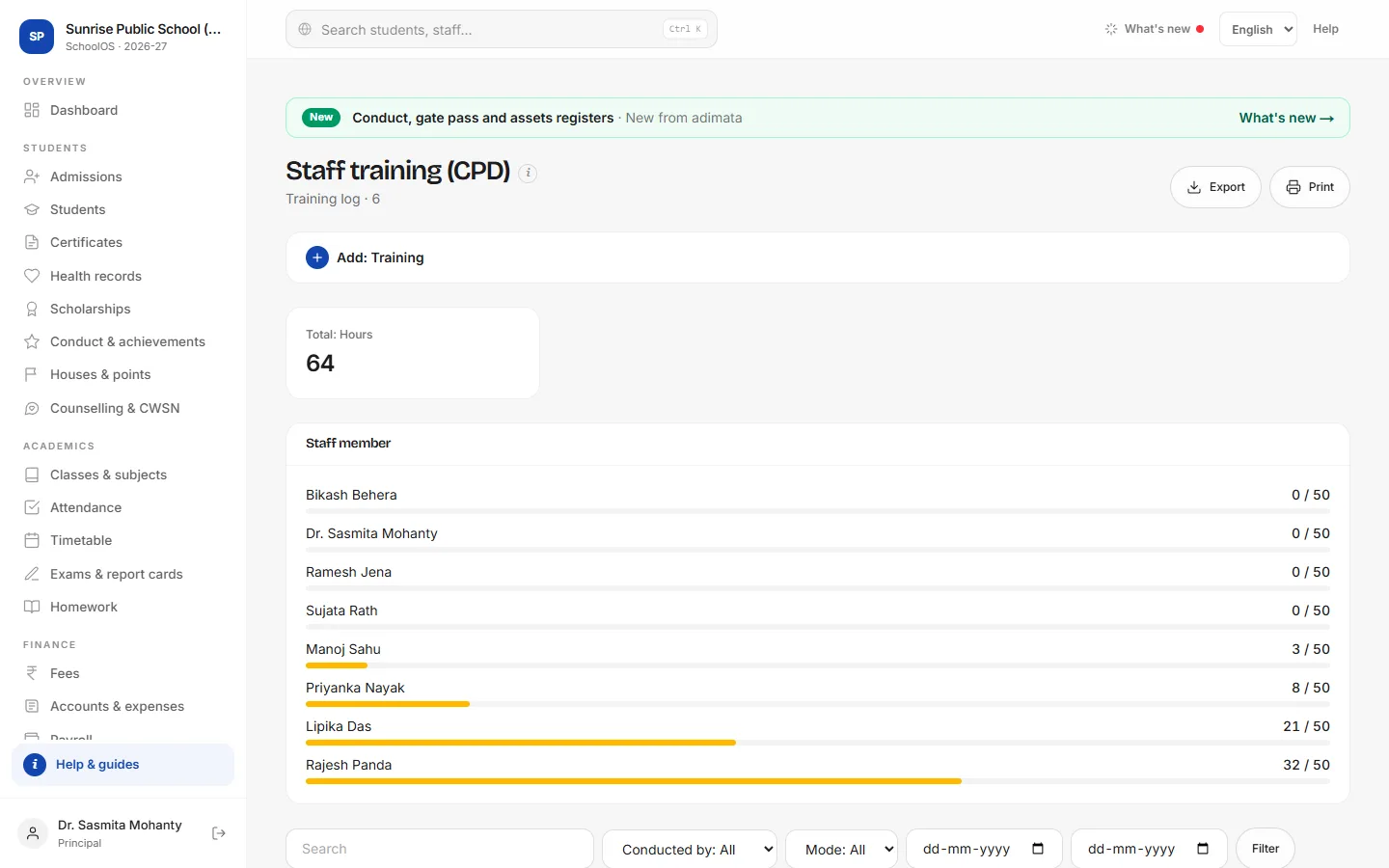
- 1Log a trainingAdd: Training: Staff member, Programme, Conducted by (CBSE / CoE, DIKSHA / NISHTHA, SCERT / DIET, In-school…), Area, Mode, From, To, Hours and Certificate no.
- 2Check the 50 hoursThe board above the list shows each teacher's hours out of 50; bars under 50 are amber. Click This session to count only this year.You should see: One line per teacher, for example 32 / 50.
- 3For inspectionFilter This session and Print, or Export the CSV.
Tips
- Log in-school workshops too; they count towards the 50 hours.
- Copy as new logs the same workshop for the next teacher.
Problems and questions
A teacher's hours look low.
Check the date filter: This session counts from 1 April of the academic year.