1 min read
Library: catalogue, issue and return
Library has two registers: Catalogue (your books) and Issue & return (who has what). The late fine comes from School settings.
- Who can do this
- Librarian, office
- You need
- Library module. The Librarian role edits Library; teachers can view.
- Not your job? Pick your role →
Before you start
- Library fine ₹ per day set in School settings (₹1 by default).
Issue & return
adimata.com/schoolos/app/r/issues
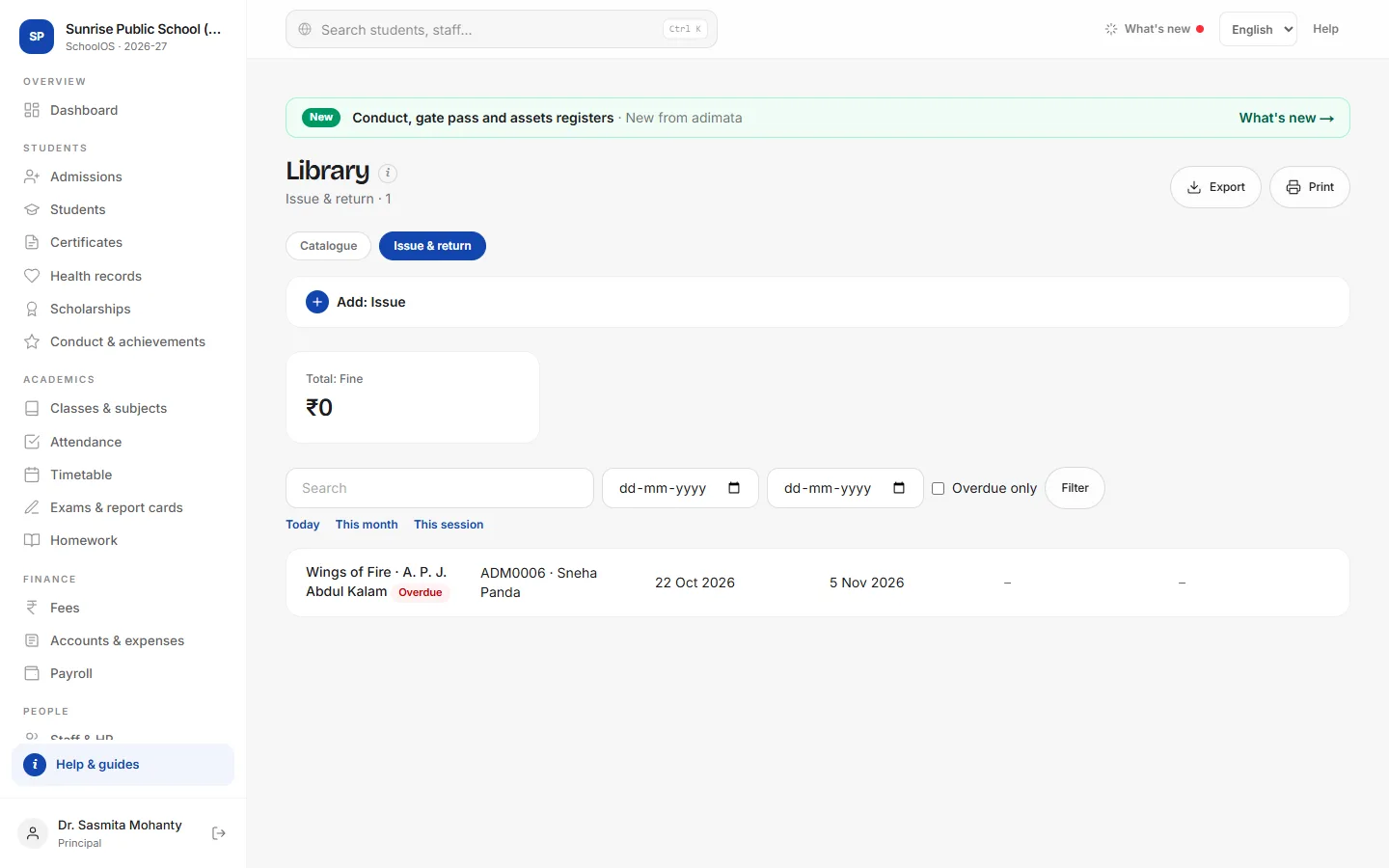
- 1Catalogue booksCatalogue tab → Add: Book: Title, Author, ISBN / accession no., Publisher, Category, Copies and Shelf.
- 2Issue a bookIssue & return → Add: Issue: pick the Book and the Student, Issued on and Due on (for example 14 days later).
- 3Record the returnOpen the issue, fill Returned on and Save. If it is late and Fine is empty, the fine fills in: days late × the per-day fine.You should see: The issue shows the return date and the fine.
- 4Overdue booksTick Overdue only. The dashboard also counts library books overdue.
Tips
- Collect the fine as a one-off charge on Fees → Collect.
- Use the accession number from the book's spine so Search finds it.
Problems and questions
Does SchoolOS stop issuing when all copies are out?
No. Copies is for your record; check the issue list first.
A late return shows no fine.
A fine was typed (even 0), or Returned on is not after Due on.