1 min read
Find students at risk early
Students at risk checks every active student against three signals: attendance below your minimum, overdue fees, and failing the latest published exam. The number in the circle is how many signals a child has; the more signals, the higher the child appears.
- Who can do this
- Principal, class teachers, counsellor
- You need
- Needs Students access. The fees signal shows only to people who can see Fees.
- Not your job? Pick your role →
Before you start
- At least 10 days of attendance marked this session.
- Exams published: failing uses each class's latest published exam.
Students at risk
adimata.com/schoolos/app/reports/risk
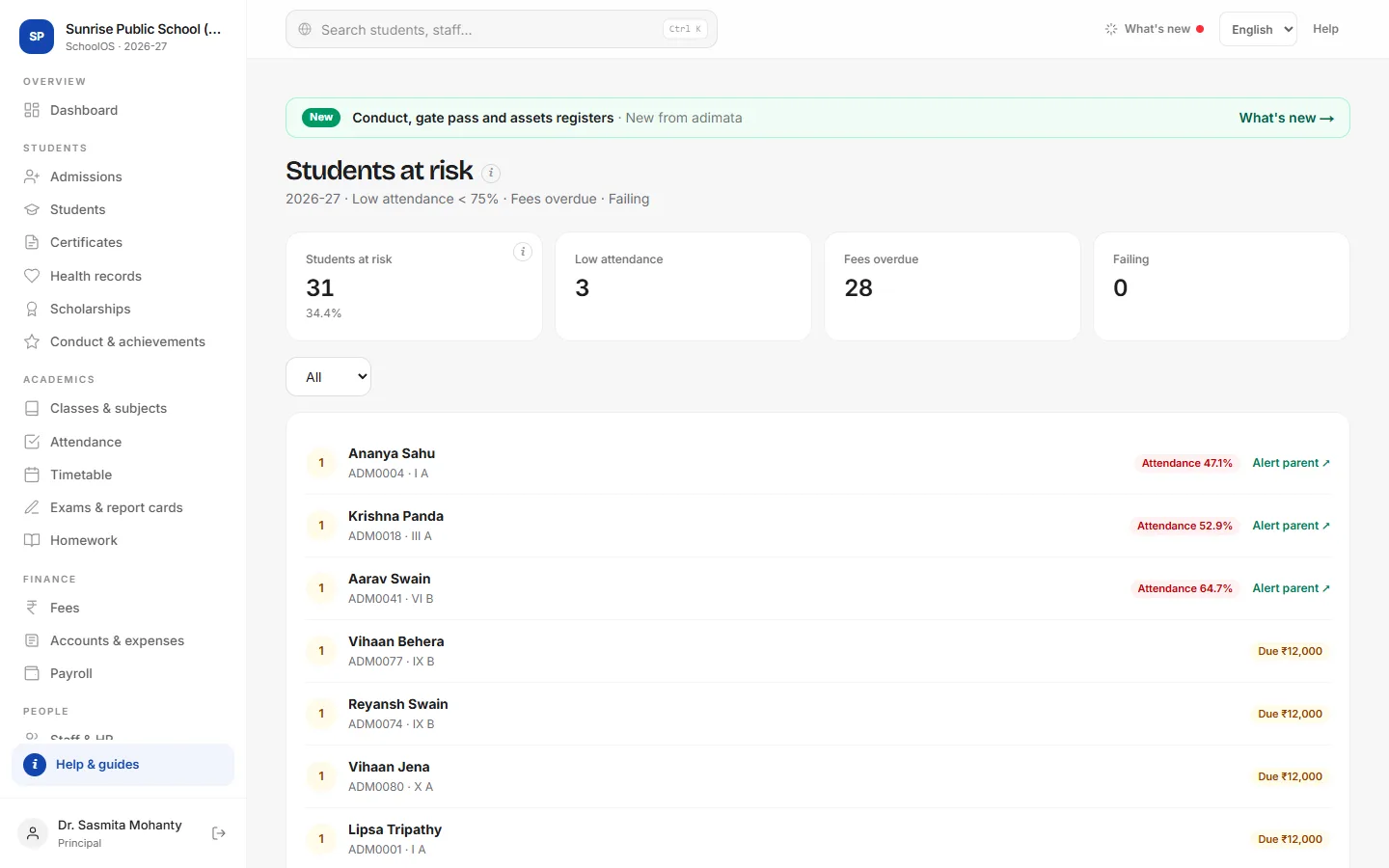
- 1The countHow many students have at least one warning sign, and what share of the school that is.
- 2Filter by signalTap Low attendance, Fees overdue or Failing to see only that group.
- 3Filter by classClass teachers pick their section from the list.
- 4Talk to the parentAlert parent ↗ opens WhatsApp with a polite message naming the attendance or subject concern. Log the meeting in the PTM register.You should see: WhatsApp opens on your phone with the message ready; nothing is sent until you press send.
Common mistakes
- Using this list for fee reminders: the Alert parent message covers attendance and marks. Use Fees → Defaulters for fees.
Tips
- Attendance is judged once 10 days are marked in the session.
- The minimum attendance and pass mark come from School settings.
- Review the list every Monday in the staff meeting.
Problems and questions
A student I expected is not on the list.
Attendance counts only after 10 marked days; failing uses only published exams; fees count only overdue bills.
The Fees overdue card is missing.
Your role can't see Fees, so the fee signal is hidden.