1 min read
Behaviour notes and achievements
Conduct & achievements has two registers, Behaviour log and Achievements. Both work the same way: Add, fill the form, save. Each entry also shows on the child's record.
- Who can do this
- Teachers, class teachers, principal
- You need
- Conduct & achievements module. Teachers can add and edit by default.
- Not your job? Pick your role →
Behaviour log
adimata.com/schoolos/app/r/incidents
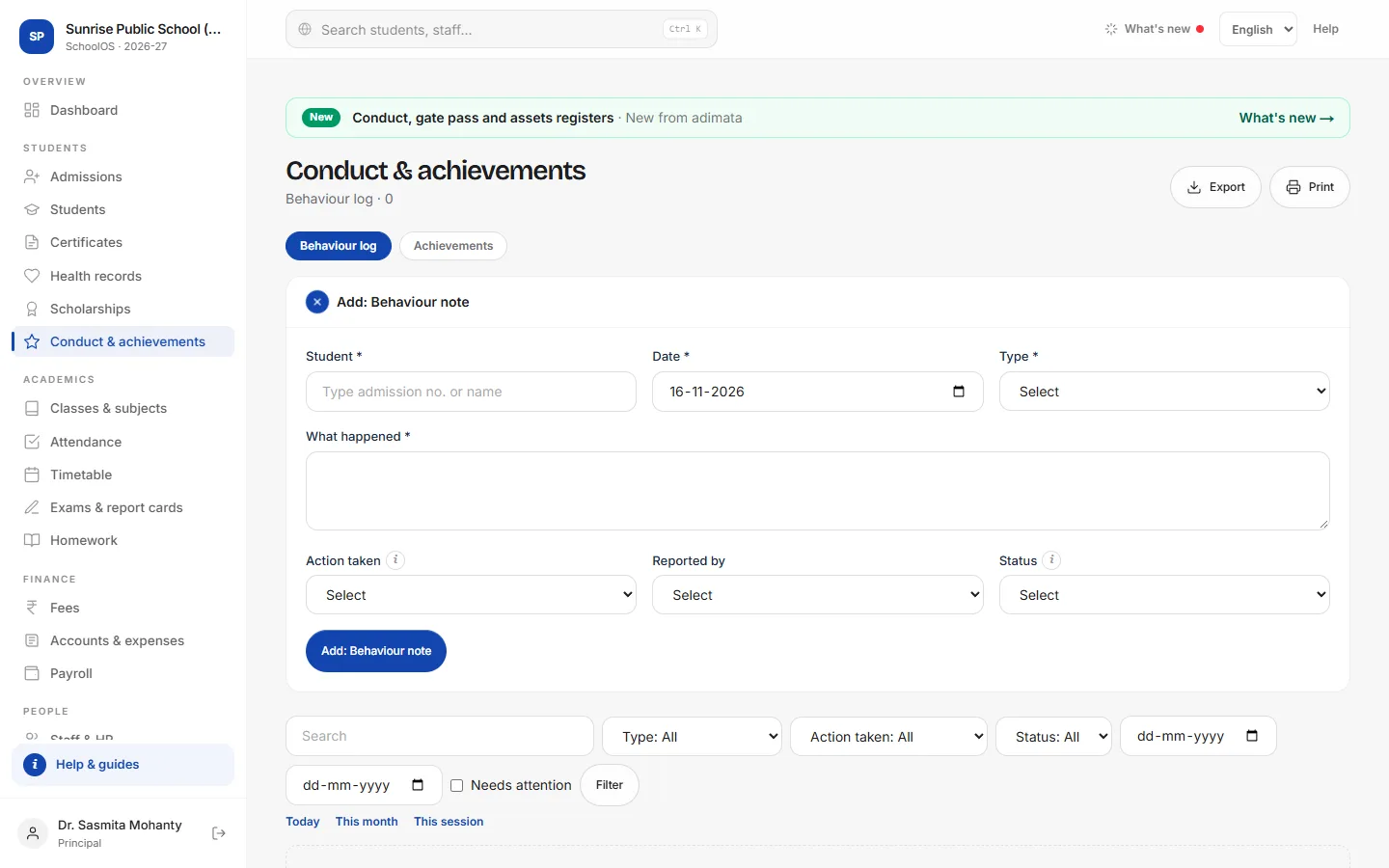
- 1Add a behaviour notePositive notes as well as concerns.Step by step
- Press Add: Behaviour note.
- Pick the Student and the Date.
- Type: Positive, Concern, Indiscipline, Bullying, Late coming, Uniform, Damage to property or Other.
- What happened, in plain facts; Action taken and Reported by.
- Status Open until the follow-up is done, then Resolved.
- 2Follow up open casesTick Needs attention: open cases that are not Positive. The dashboard counts them as behaviour cases open.
Achievements
adimata.com/schoolos/app/r/achievements
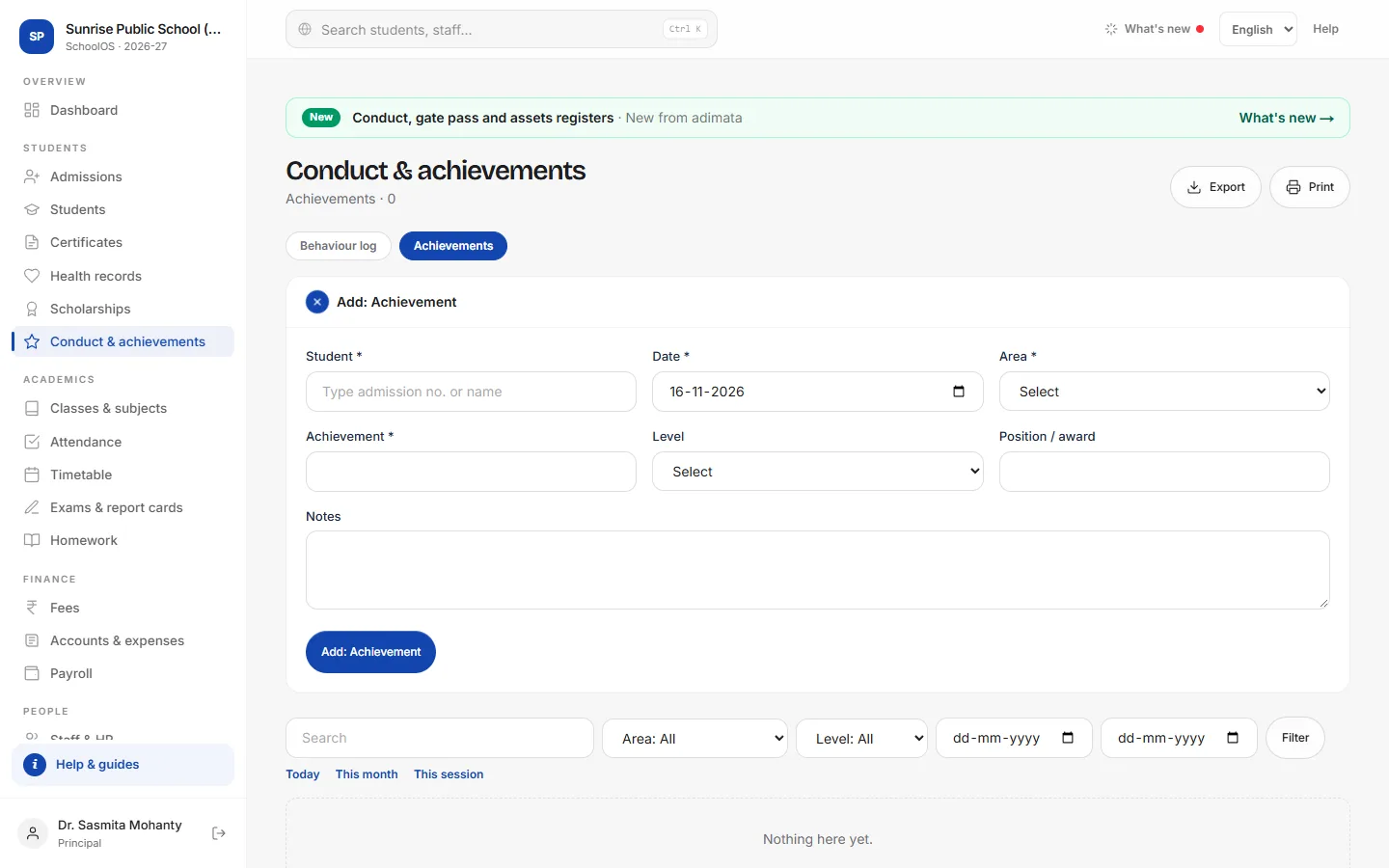
- 3Record achievementsStudent, Date, Area (Sports, Olympiad, Arts…), Achievement, Level (Class to International) and Position / award.
- 4Use it at PTMsThe child's record → Library, transport & health lists their notes and achievements together.
Common mistakes
- Leaving resolved cases Open: the dashboard keeps counting them.
Tips
- Write positive notes too, so the record is fair when you meet the parent.
- Bullying cases: tell the principal the same day.
Problems and questions
Do parents see behaviour notes?
No. They stay with staff; share them at the PTM.
Does this print on the report card?
No. The report card prints marks, grades, co-scholastic grades and attendance. Use these notes for your remarks.